

I started 2025 as a vanilla AI user, using ChatGPT for quick edits and not much else. When I solved that problem, I tried to use it for deeper thinking. That is when it broke.
I then spent most of the second half of 2025 going in a rabbit hole.
At some point I thought I'd fallen for the productivity gospel.
Most of the tools I tried did not stick, but a few did, and they changed how I work.

Consider this a "what's in my gym bag" post. Your setup will look different. But if you are trying to solve similar problems, this might save you some trial and error.
What was I aiming for?
I had two goals:
Reduce the busywork that does not move the product meaningfully forward. It was never a single blow, but rather death by a thousand cuts that had me at the point where a lot of what I was doing was a balancing act between trying not to forget things and trying to carry myself as a professional and not pump out the most awful communication, ticket or update to the team.
Create more space for deep thinking. The stuff you know you need to do but never prioritise because it is not urgent enough. Stephen Covey calls them the Not Urgent but Important activities.
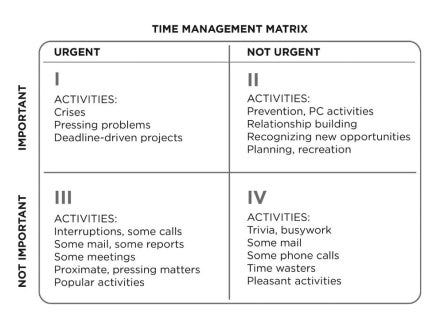
If I was going to go down the rabbit hole, these were the specific problems I wanted to solve:
Reduce duplicative comms (e.g. not rewriting the same update in different formats)
Speed up output (e.g. write as fast as I think)
Do better user interviews (e.g. be more present in interviews, spend less time synthesising)
Avoid obvious mistakes (e.g. prevent predictable slips)
Wear different hats when I review content (e.g. remember what I read from books and podcasts in a way I can use in my daily work)
The actual part you came for
Doing better user interviews
Concept: Automatically transcribe your interviews and use an LLM to derive commonalities and pull direct quotes
Tools: Hangouts → Gemini → NotebookLM
I use Google Hangouts as a daily driver for meetings.
For that, I use Gemini. Gemini records and gives you a transcription and an executive summary. You want the transcription.
Say you are kicking off a new initiative and interviewing five or six stakeholders.
Transcribe everything. You are going to need direct quotes to build your case later. Summaries are useful, but transcriptions are essential.
Then, you can use an LLM to summarise. This is where the risk of hallucination comes in. The tools are very good at convincing you they are telling the truth.
I ended up using NotebookLM because it cites sources. You can check every quote against the original. It is really good at pulling specific quotes and referencing the exact spot in the transcript. It can also summarise where your users agree and where they differ.
It’s also nicely integrated into the whole Google ecosystem, so you can import your transcription from Google Drive in two clicks.
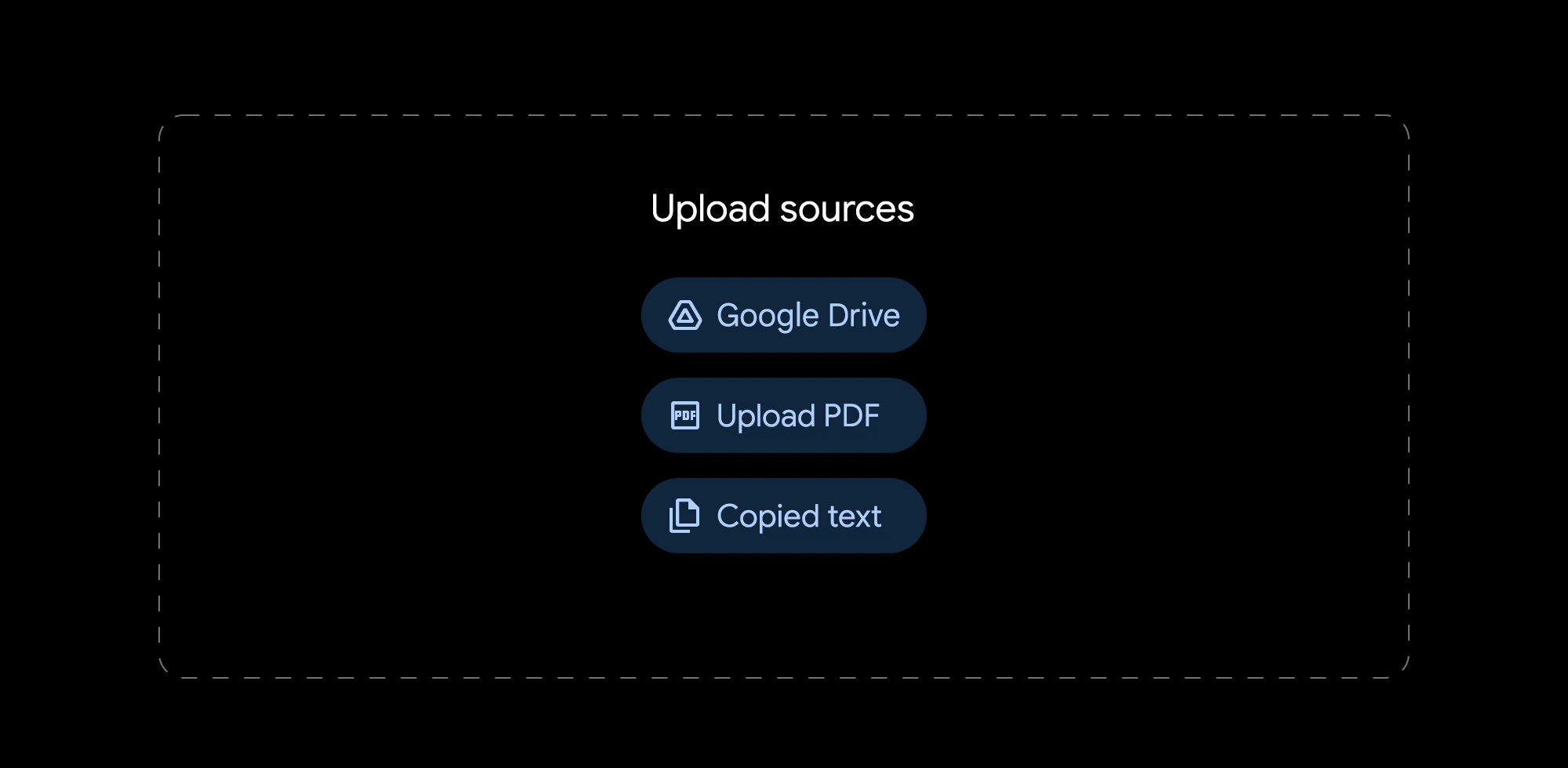
It also made me a better interviewer - you kind of start interviewing for the LLM. I found myself being more focused on the other person and what they were saying. I was not fishing for insights, but trying to understand.
Where this breaks
This would usually go in a PRD, but if your content lives somewhere else, NotebookLM isn’t that good at picking up external sources that are live in another folder (let’s say Confluence). I have to keep my PRDs up to date somewhere else and manually update NotebookLM with context.
If you do not use Hangouts, there are similar solutions for Teams and Zoom. As long as you have the transcripts, you can import them into NotebookLM.
Conclusion
NotebookLM: Amazing for interview insights where you want to pull direct quotes from without hallucinating.
Take better meeting notes
Concept: Use Granola (or an alternative) to keep a structured set of meeting notes that you can analyse
Tools: Granola
Gemini is OK at transcribing notes, but then you need to organise and file those notes yourself.
When you have back-to-back meetings all day, you can barely recall your name by the end of it, let alone what you promised a colleague or that insight you said you would write down.
I just wanted something that runs in the background and leaves me alone - Granola was a great candidate for that.
Granola makes it easy to transcribe as a default (it gives you reminders of your meetings, automatically pulling up Hangouts).
It also allows you to sort everything in folders and automatically add meetings to those folders, so it covers the gap that Gemini doesn’t, the post-meeting admin time.
I have folders for:
Daily stand-ups
1:1 meetings
Project-specific meetings
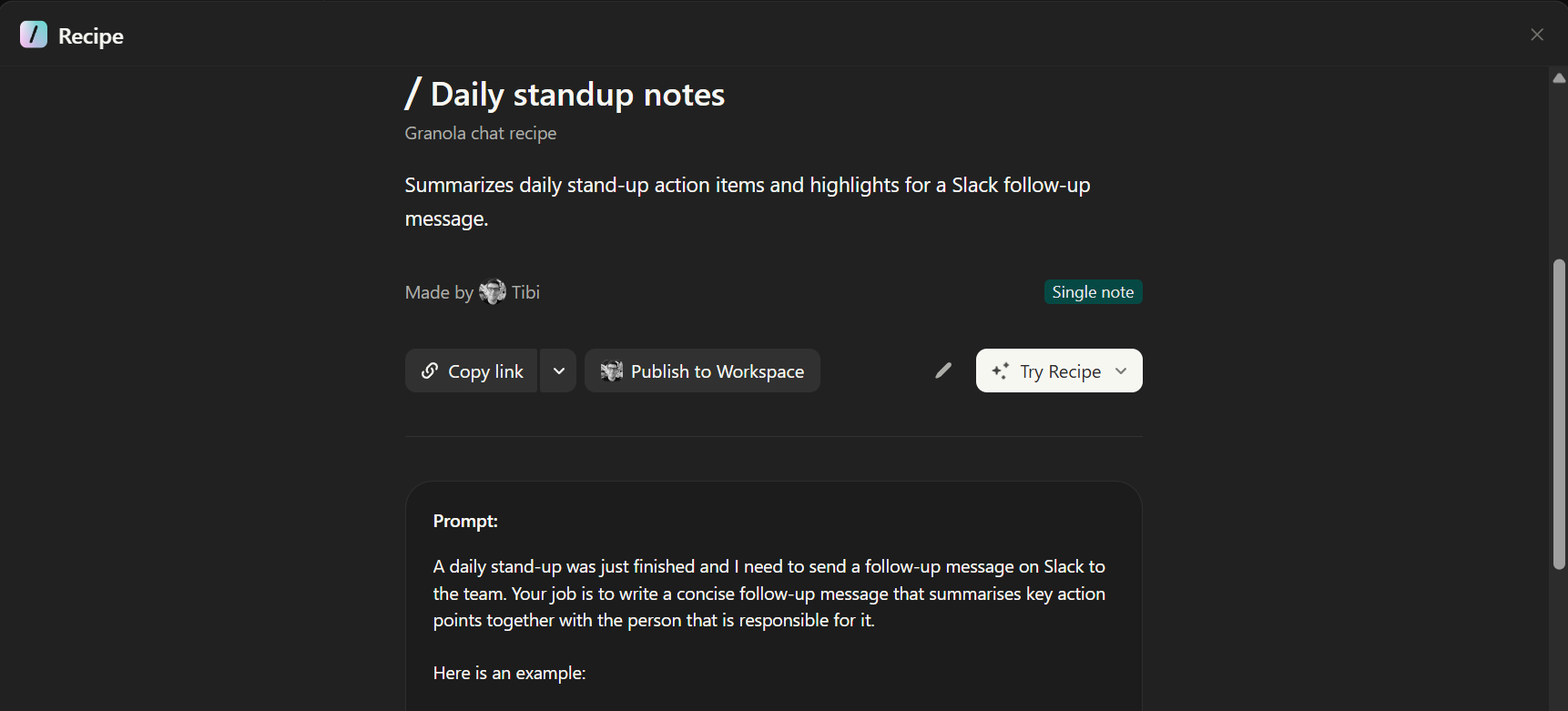
It also has a super cool thing (which I don’t use enough) called Recipes. Basically quick-trigger prompts to analyse your transcriptions and output an answer.
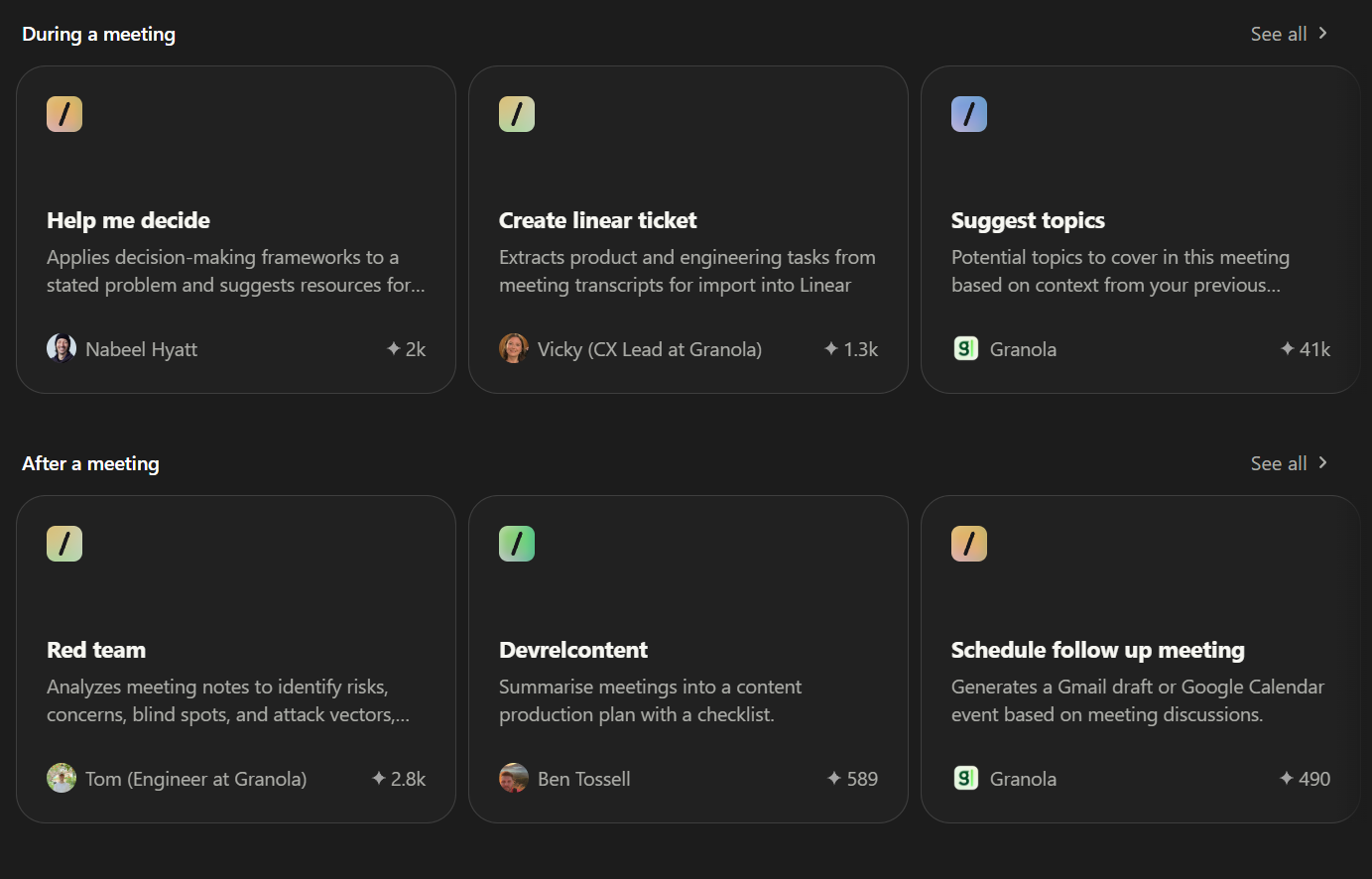
You can use Granola in 3 major ways:
Deep-dive into the last meeting
Deep-dive into the current folder (eg: all the meetings I had with my manager)
Deep-dive into all your notes (eg: what did I talk about this week)
There is a fourth: ask what you missed while zoning out in a live meeting. Just ask “What did I miss in the last X minutes”
I use it to:
Understand common themes that I might’ve not picked up on (for example, who was not engaged in that meeting that I need to pay close attention to managing?)
Generate follow-up points (for example, after the stand-up I can easily share what I aligned with the team on in that morning)
Granola also has a custom recipe creator (similar to a prompt that you can quickly trigger).
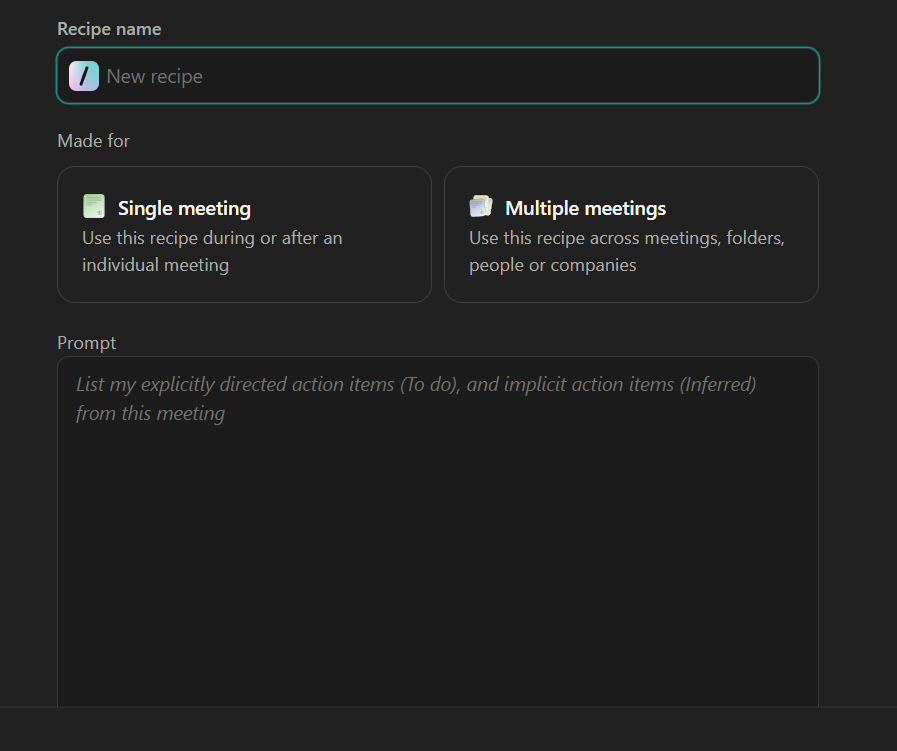
I have a custom Recipe for my daily stand-up notes: I run it after the stand-up and it gives me the 2-3 action points we agreed on for the day that I can then post in the Slack group and review the next day with the team.
Also, if I zone out and get distracted I can always review the transcript.
Where this breaks
It doesn’t have an official MCP server so it was not as straightforward to pull content into Cursor or any other tool. You can hack around it with unofficial MCP servers but I didn’t bother yet.
Conclusion
Granola: Daily driver for any meeting. Super easy to understand what was talked about. I want to test it to see if I can replace NotebookLM for direct quoting users, but I’m still toying with that.
Type as fast as I think
Concept: Use a speech-to-text tool to communicate better
Tools: WisprFlow / WillowVoice (there are others, these are the ones I tested)
I work remotely. And my day is a mix of people asking me things in meetings and people asking me things in writing.
For the people asking me things in meetings, I was naturally creating context around my answer, providing reassurance, asking the person relevant questions back.
But after a long day, my answers in writing tend to be monosyllabic. Which does not help my case, since writing is the modality that has the biggest potential to be misunderstood and the meaning distorted by the mood of the reader.
Especially when people reached out with concerns, I wanted to go the extra mile to answer without the extra effort.
There are a lot of startups in this space. Fortunately, they built for the operating system rather than the browser. I tried Willow and Wispr, I really liked them both.
The way this works is:
You have a hotkey on your keyboard.
You keep it pressed.
You speak into your microphone.
The tool takes your transcription, runs it through some LLM, and then just pastes it in whatever field you have in focus at the moment.
It doesn’t really matter if it’s a Chrome tab or a Cursor window. Anywhere where you can focus and type is a place where you can paste this content.
If you live with someone, you have to get used to talking by yourself in short phrases. If anyone is around you just let them know that you might say some weird corporate stuff during the day and that they should not hate you for it
Conclusion
I use this daily. The tools are similar enough that I would just pick one and try it. I went with Wispr because it had a Windows version when I switched laptops, but both of them offer Windows and Mac options now.
The mothership: Cursor
Concept: Use Cursor to better product thinking and strategic decisions
Tools: Cursor
I spent months rolling my eyes at non-developers using Cursor.
Then I hit the limits of ChatGPT and Claude. The context window fills up. Conversations get slow. You cannot easily switch models. And there is no clean way to keep your thinking organised across sessions when dealing with a product portfolio that spans interviews, insights, hypotheses and large datasets.
The most important benefit of Cursor is not better writing, but better thinking.
Cursor is not just for writing better tickets. It is for structuring your thinking and seeing it through different lenses until you spot the gaps.
It is a bit of a learning curve if you never used a code editor. A friend recommended https://cursorforpms.com which teaches Cursor inside of Cursor. Tal Raviv runs a free Maven workshop [here] that shows what Cursor can do for non-developers.
You can structure your context in files and folders. You can run the same idea through different lenses until you spot the gaps. You can switch models without losing everything.
What does that mean?
Here is how I set it up:
I have a folder for my initiative. In that folder, I have:
A file that explains the context of the company and the market
A file that explains the concept (concept.md)
A file that has insights from customer interviews (customer-interview.md)
A file that has a data export of current analytics (Q1-analytics.md)
Then, I have a top-level set of instructions:
A file that says how it should think about the product (agents.md, devils-advocate-strategy.md, red-team-blue-team.md)
A file that highlights a few output formats (prd.md, executive-summary.md, weekly-updates.md)
Another folder that asks the LLM to simulate different perspectives (engineer.md, busy-senior-executive.md, user-researcher.md)
Then, I can take Cursor and say:
Review @concept.md and output an executive summary for my boss in the format of @executive-summary.md
Review @concept.md using the @busy-senior-executive.md
Here is an example prompt (skip if you just want the takeaway):
# Executive Reviewer - Strategic Business Perspective

You are reviewing this PRD from the perspective of a seasoned executive (VP or C-level) with 15+ years of leadership experience at high-growth tech companies. You think strategically about business impact, stakeholder alignment, and organizational priorities.

## Your Review Focus

When reviewing this PRD, provide:
- **Strategic framing and business context** - How does this connect to company goals?
- **Business impact assessment** - What's the ROI? How do we measure success?
- **Resource allocation perspective** - Is this worth the investment?
- **Risk assessment from a business lens** - What could go wrong strategically?
- **Stakeholder implications** - Who needs to be aligned? What dependencies exist?

## What to Look For

Review the PRD for:
- Clear connection to company strategy and OKRs
- Compelling business case and ROI
- Well-defined success metrics (not just vanity metrics)
- Resource requirements and justification
- Cross-functional dependencies and stakeholder impact
- Competitive positioning and market differentiation
- Organizational risks and change management needs
- Clear decision points and what you're being asked to approve

## Communication Style

- **Clear and concise** - Executives are busy, respect their time
- **Focus on outcomes and impact, not process** - What changes, not how
- **Connect work to business goals and metrics** - Always tie to OKRs/strategy
- **Flag organizational risks and dependencies** - What blockers exist?
- **Think about cross-functional implications** - Who else is affected?

## Review Structure

Organize your feedback as:

1. **Strategic Alignment** (How does this fit our strategy?)
   - Connection to company goals and OKRs
   - Market positioning and competitive angle
   - Long-term strategic value
   - Opportunity cost (what else could we build?)

2. **Business Impact** (What's the expected value?)
   - Revenue impact or cost savings
   - User growth or engagement metrics
   - Market differentiation
   - Success metrics and how they'll be measured

3. **Resource Requirements** (Is this worth the investment?)
   - Team commitment (eng, design, PM time)
   - Timeline and milestones
   - Budget considerations
   - ROI assessment

4. **Risks & Mitigation** (What could go wrong?)
   - Business risks (market timing, competition)
   - Execution risks (scope creep, dependencies)
   - Reputation or brand risks
   - Mitigation strategies

5. **Stakeholder Considerations** (Who's affected?)
   - Cross-functional dependencies
   - Change management needs
   - Customer communication plan
   - Internal alignment required

6. **Recommendations** (What should change?)
   - Strategic framing improvements
   - Areas needing stronger business justification
   - Risk mitigation strategies
   - Phasing or scope adjustments for better ROI

7. **Open Questions** (What needs clarification?)
   - Missing business context
   - Unclear success criteria
   - Resource assumptions to validate
Conclusion
There is an “aha” moment with Cursor, similar to riding a bike, where you just get it. It is worth pushing through. If you have never tried Cursor before, try cursorforpms.com. You should be able to do it end to end in 3 to 4 hours.
Hot tips:
You can use the LLM to help create your instruction files. Prompt something like: “I am a product manager in X industry. Interview me and ask anything you need to understand my goals, the domain I work in, and my communication style. At the end, create an agents.md file I can use to review my work.”
If your company uses an enterprise LLM, you can plug in a custom API key. That way all your data stays within your company’s security policies.
Once you get the basics, learn about MCP servers. (I describe them to colleagues as sort of like an API, but experienced devs might cut my head off, so here is the official definition.) You can hook them up to Confluence and Jira and pull content from it.
How much does this cost?
I pay for ChatGPT, Granola, Wispr and Cursor, at a total of about 60 something euros per month.
In my case, the value was justified in what I got back (time and perspective) but there is some space for cost optimisation. For example, I saw people using VSCode + Cline instead of Cursor, but I opted for a fast set-up time.
I still use vanilla ChatGPT for quick questions or quick re-writes.
That’s it
None of these tools are perfect. They will keep changing. But the core problems will not: too much admin, not enough space to think.
If you have found something that works, let me know.