

I really like reading books, but what I really like more is going down rabbit holes. A little line in a book will catch my attention and suddenly I’m 5 Wikipedia tabs in.
I could not find a tool that preserved the reading experience while allowing me to slightly deviate from the book and understand a subject better.
The final straw came when I was trying to better understand “Sun and Steel” using ChatGPT, and I got restricted from copy pasting.

Throughout reading the rest of the book I had to rely on taking screenshots of the book, copy the parts or the answer I wanted to save, then make custom notes in Kindle.
Inspired by Hilary Gridley’s post it’s the opposite of death by a thousand paper cuts, I thought this would be a good opportunity to see what I can build in Cursor.
I ended up making Echo: an open-source AI reading companion that lets you open a PDF, read it, annotate it, and send content to an LLM without context switching.
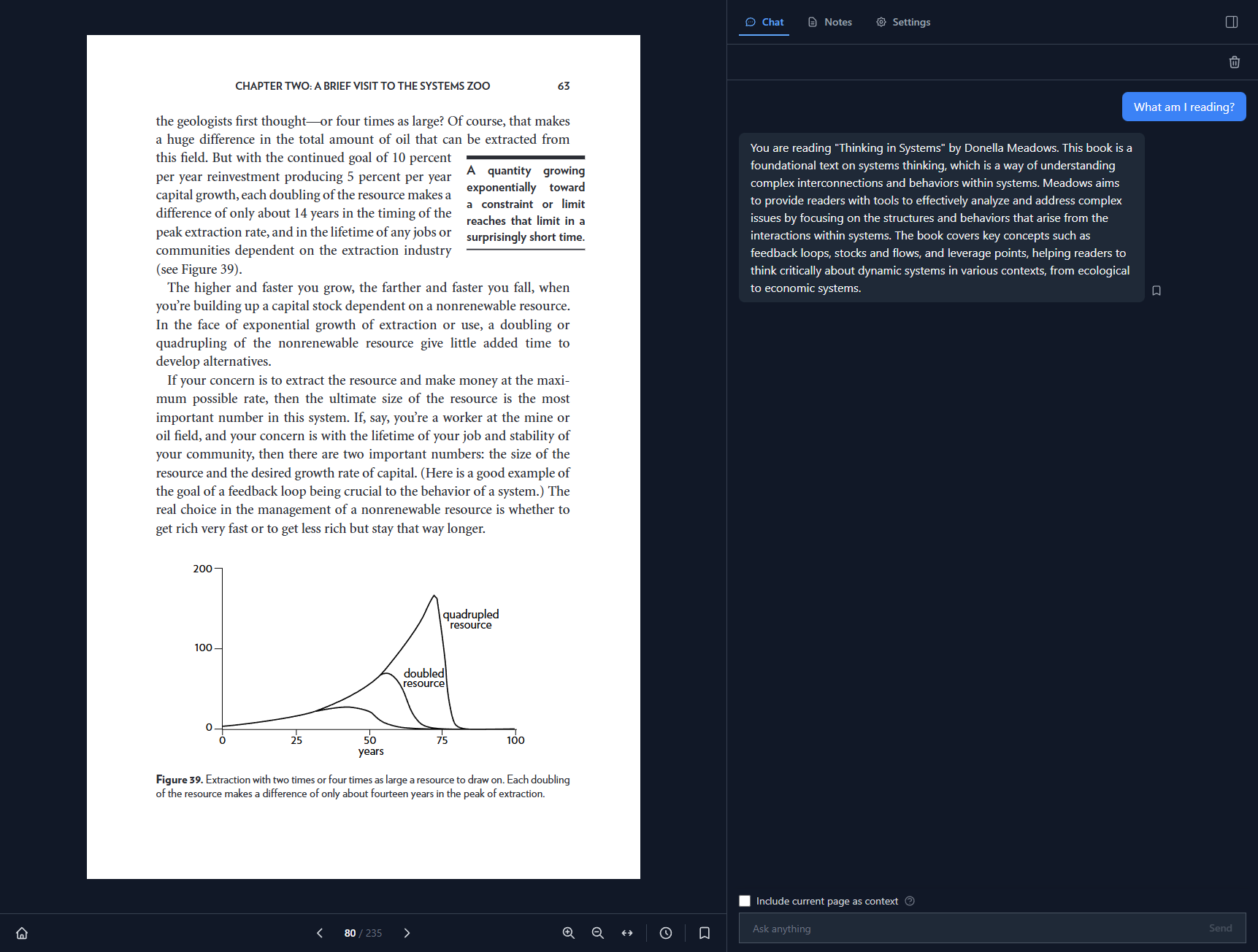
This is not a post about how to build the tool. It is about how to stay focused when building with an LLM IDE as a non developer.
I made a lot of mistakes during this process: reverting whole features accidentally, confusing both myself and Cursor, asking myself what Vercel is, understanding how to create tests. It started changing files I didn’t need, or changing files without understanding the upstream and downstream effects.

Why I used Cursor
If you are trying to do a fast first pass, Lovable or Bolt can get you to a visible prototype quickly. But if you are extending an existing product, or building a prototype with many moving parts, it may need to match existing product logic and support many small controlled edits over time.
This is where I found Cursor to be stronger: it let me control iterative changes across multiple files. For a founder team, this is the difference between a demo that looks right and a prototype that you can evolve.
Below are some of the things that I will do from the get-go on my next product:
Make Cursor understand what your plan is
Cursor knows what your current codebase has, not what you think or plan to do next.
If you built a product with an engineering team, they will ask you questions like “what kind of files will be uploaded here? Will we ever need to delete them or store them somewhere?”
These questions force you to think deeper about your product, and in exchange, you gain clarity. When you are first thinking about your product, you will focus on what it is. The what it is not usually comes when you get to the building phase. The answers to the latter will sometimes change the scope of the former.
One of AI’s downsides is how agreeable it is, so if you just vanilla prompt Cursor to create a file upload system you can’t guarantee it won’t try to do user management too. The goal of the scoping exercise is to stop Cursor from going into rabbit-holes and over-engineering.
Practical advice: Create a context.md file for your product and ask Cursor to interview you.
Act as a senior product engineer working with a non technical founder. I am building [tool] for [user] to achieve [outcome]. Before we write code, interview me one question at a time. Your goal is to clarify product goals, success criteria, key user flows, scope, and what is out of scope for v1. Ask about assumptions, tradeoffs, risks and operational limits. Challenge vague answers and force concrete decisions. Keep questions practical for a founder who cannot implement complex infrastructure alone. At the end, produce a brief with: product goal, success metrics, core flow, non core flow, constraints, risks, open questions, and build order. Do not suggest implementation until the brief is complete and approved.Focus on the new experience you want to create. Build everything else only to the level needed to validate the core flow.
Use component libraries, do not create Custom CSS components unless required
Unless you are creating a whole new way to use a product, it’s likely that you will use some combination of forms, tables, buttons. I asked Cursor to use the Tailwind library and explicitly prompted not to create it’s own components unless required. You don’t want to spend time asking an LLM to tweak a table layout, but rather focus on how the table fits into your user experience.
Users spend most of their time on other sites. This means that users prefer your site to work the same way as all the other sites they already know. - Jakob’s Law
If you are building a tool that is “kind of like X but better” adopt the design patterns that you see out there. Mobbin is a great resource.
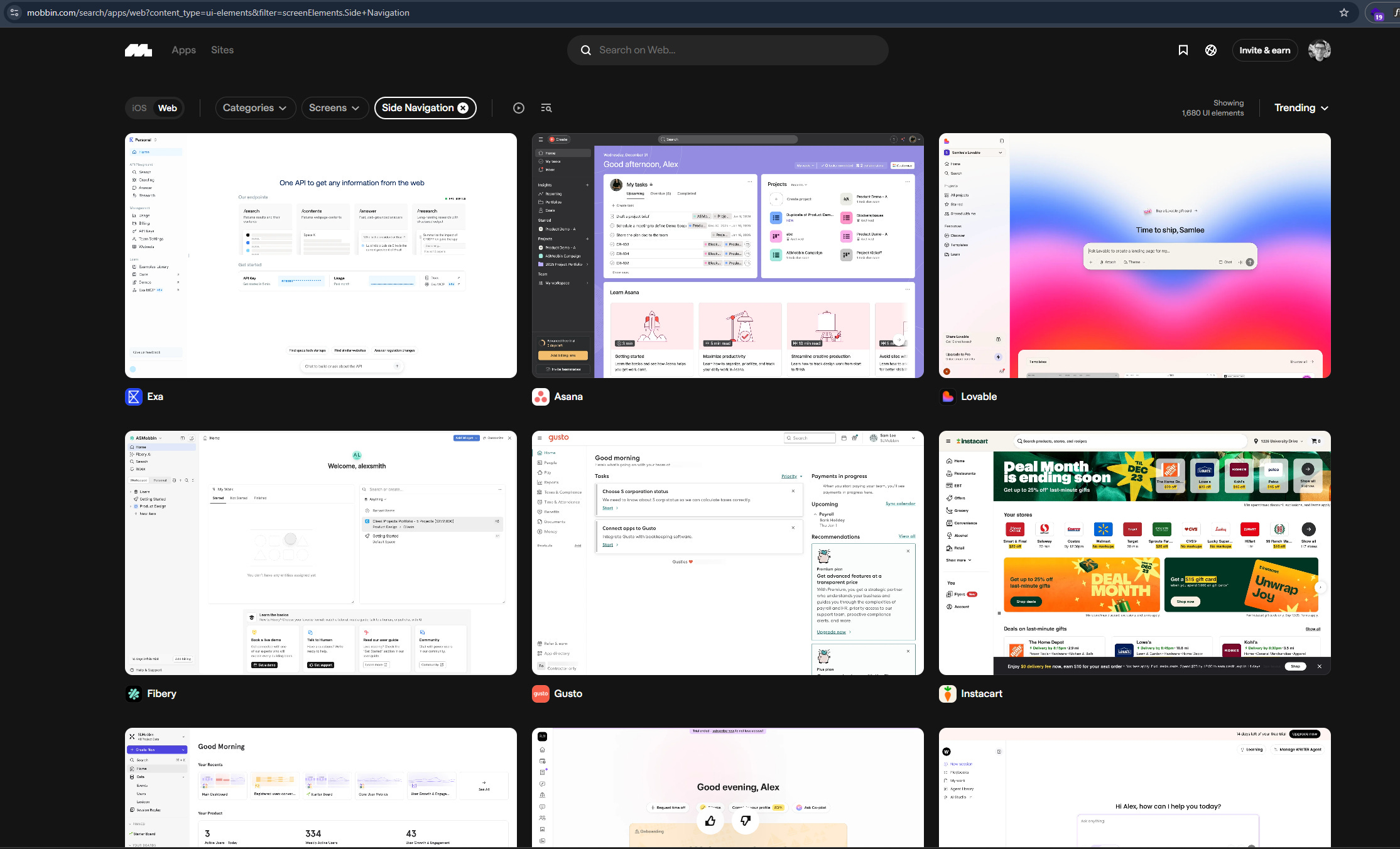
Practical advice: When you are building your context file, prompt the following:
Use [library: Tailwin, Material UI etc] components for all standard elements like forms, tables, buttons, modals, and navigation. Do not create custom CSS or new components unless the core experience requires something that does not exist in the library. When in doubt, reuse existing patterns. Flag any case where you think a custom component is needed and explain why before building it.Build only the backend depth you need to validate the core flow
Echo is open source, bring your own key, and local first. I skipped authentication and API key management because I was not planning to monetise it.
If your goal is to validate a product decision with customers, you do not need production grade backend. A mocked dataset and a believable login flow are often enough to test the core experience.
If you are not a software developer, full stack architecture through an LLM is high risk. You will not understand what broke or why. (please don’t put something that handles sensitive data if you do not understand how it works)
Practical advice: Add some version of the below in your prompting:
# Backend Infrastructure Rule

## Role
You are building a prototype where simplicity enables faster validation.

## Instruction
Before adding any backend infrastructure, check if the core flow defined in context.md can work without it.

## Preferences
Prefer:
- Local storage, file based storage, or SQLite over hosted databases
- Hardcoded or mocked data over external API calls

## Constraint
If you believe the core flow requires something beyond the above, stop and explain the tradeoff in plain language before building. Do not proceed until I confirm.
You will want to fix everything as you go. Focus.
If you are building a tool for yourself, you get instant feedback about what you like and what you do not. That feedback turns into a growing list of fixes.
One of the benefits of using LLMs to code is small feedback loops. But small loops do not mean you should fix everything as it comes up. In reality, you will get distracted and sidetracked instead of working on your core user flow.
Instead of stopping to fix layout issues or small annoyances, write them down in a fixes-and-improvements.md file. Similar to a regular product development lifecycle, there are things that need your attention now and things that need your attention later.
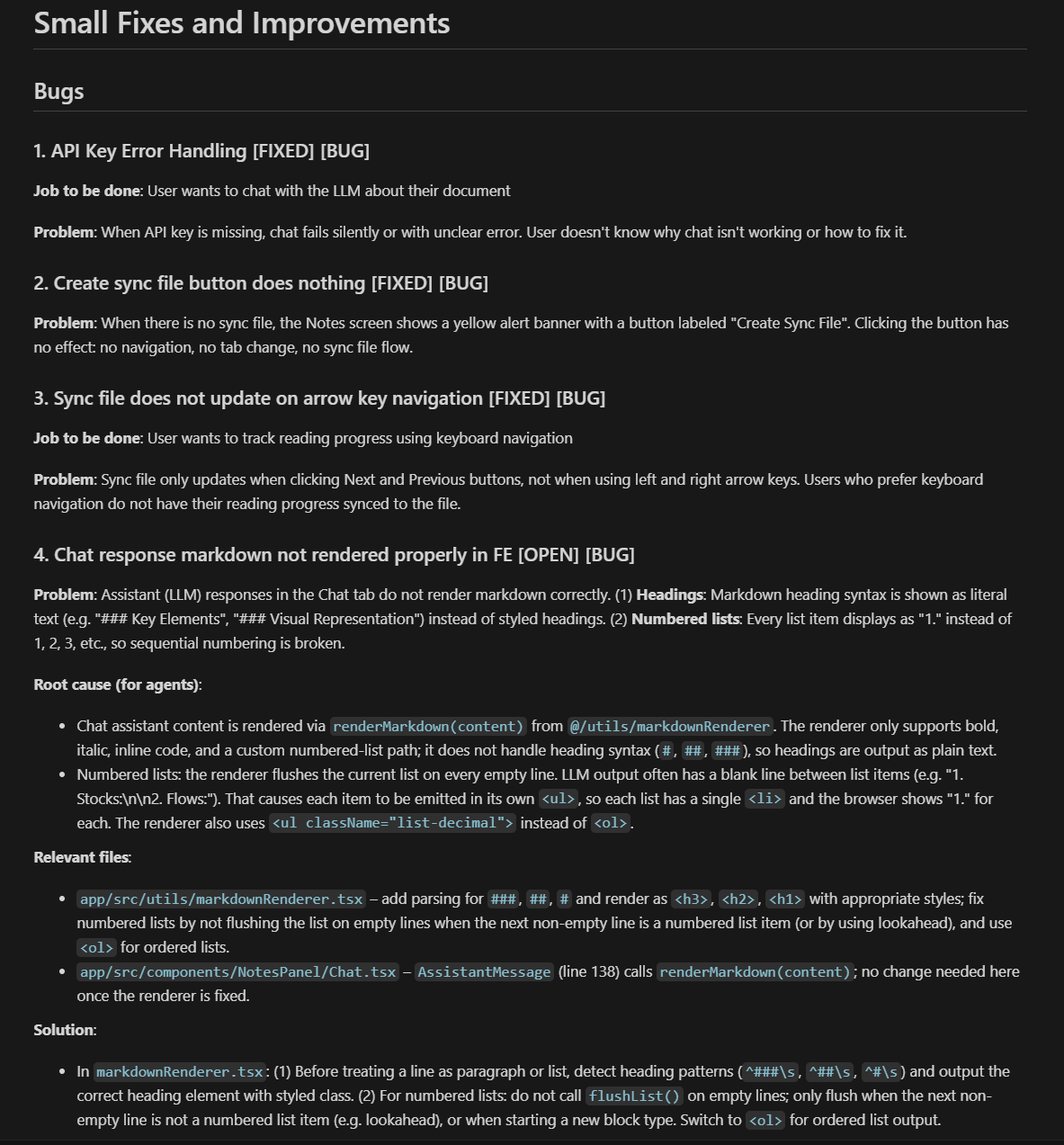
Practical advice: In a separate chat, add this:
When I mention a bug, UI issue, or improvement that is not critical to the current task, do not fix it immediately. Add it to a file called fixes-and-improvements.md using this format:

### [Short title] [OPEN] [BUG or IMPROVEMENT]

**Problem**: Describe what is wrong or what could be better.

**Root cause (for agents)**: Explain why this is happening, including relevant files or logic.

**Relevant files**: List the files involved and what role they play.

**Solution**: Describe the fix or improvement at a high level.

Mark items as [OPEN] when logged and [CLOSED] when resolved. Only work on items from this file when I explicitly ask you to.
Start versioning before you break something you cannot undo
As you build a more comprehensive user experience, your codebase will grow. More files, more components, more dependencies between them. At some point, you will change something in one place that breaks something elsewhere.
In Echo, tweaking the “Select your sync file” prompt when a PDF got imported broke the “Sync file” settings panel. That took about an hour to properly revert..
Once you have a first stable version of your end to end experience, start versioning. Versioning means deploying specific releases you can always reference back to when something breaks.
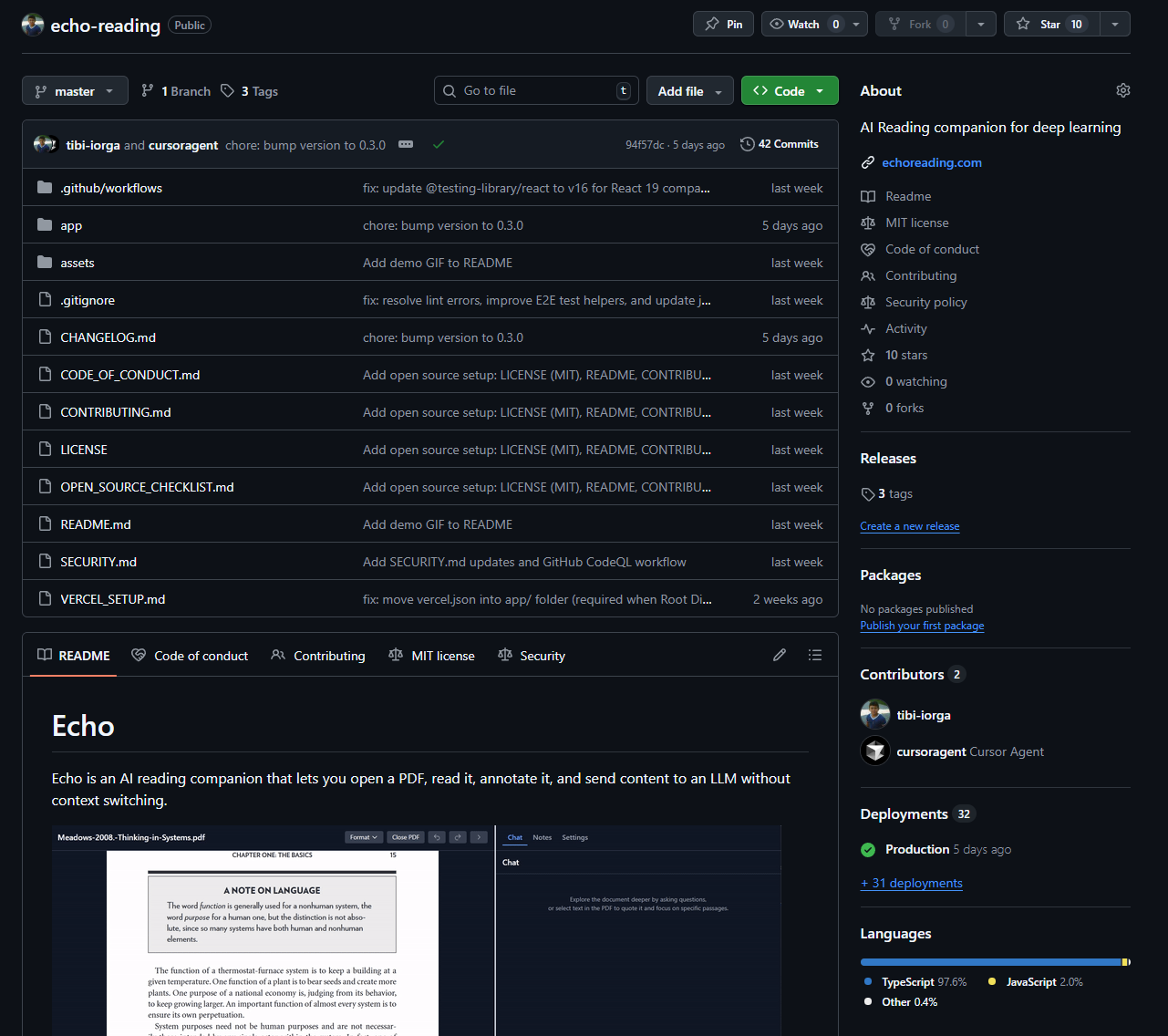
I asked Cursor to interview me about the core flows I wanted to protect and generate a testing pack. I added a workflow file that runs those tests before each release and deploys to GitHub with a changelog.
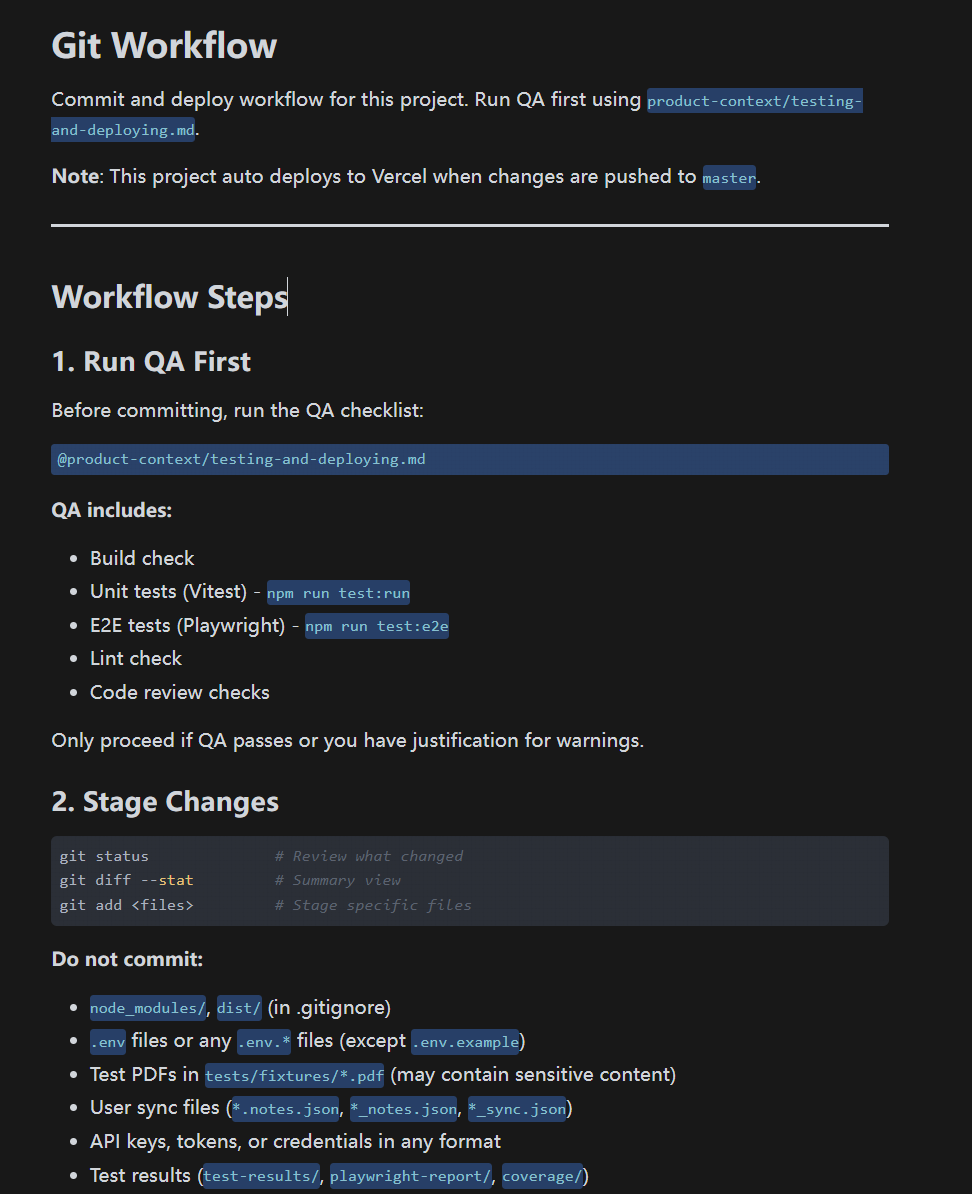
Practical advice: Once you have a stable version of your concept, create this in a new chat.
Create a single workflow document called TESTING_AND_DEPLOYMENT.md that you will use to set up my project and execute every time I want to commit and deploy. Assume I am not a software developer. Do not just show me commands. Execute them for me and explain what you did after each step.

The document should have two parts:

PART 1: FIRST TIME SETUP (do once, execute each step)

1. Git setup
- Check if Git is installed. If not, tell me how to install it and wait for confirmation.
- Create a new repository on GitHub for this project.
- Connect my local project folder to the repository.
- Make the first commit and push.
- Confirm each step is complete before moving on.

2. Testing setup
- Interview me about the core user flows I want to protect. Ask one question at a time.
- Once you understand the flows, generate a testing suite that covers them.
- Set up the tests so they can run with a single command.
- Run the tests once to confirm they work.
- Explain what passed or failed.

3. Workflow file setup
- Create a list of files that should never be committed (API keys, passwords, .env files, user data) and add them to .gitignore.
- Create a changelog template in CHANGELOG.md.
- Confirm setup is complete.

PART 2: EVERY TIME I WANT TO COMMIT (execute this when I say "commit" or "deploy")

Step 1: Run tests
- Run the test suite.
- If tests fail, stop and explain what broke in plain language. Do not continue until I confirm.

Step 2: Review changes
- Show me a summary of what changed.
- Flag any files that should not be committed.

Step 3: Stage and commit
- Stage the appropriate files.
- Ask me for a short description of what changed.
- Commit with a clear message using the format (feat, fix, refactor, etc.)

Step 4: Bump version if needed
- Ask me if this change needs a version bump.
- If yes, ask if it is a patch, minor, or major change, then bump accordingly.

Step 5: Update changelog
- Add an entry to CHANGELOG.md based on my description.

Step 6: Push
- Push changes to GitHub.
- Confirm the push was successful.

Step 7: Tag a release (optional)
- Ask me if I want to tag this as a stable release.
- If yes, create and push the tag.

After setup is complete, follow Part 2 every time I ask you to commit or deploy. Execute each step and confirm before moving to the next.
Closing thoughts
AI might change who writes the code, but it does not change why good software practices exist.
If you are not a software developer and someone sold you the idea of “just ask Cursor and it will do it”, that illusion breaks the first time you build a comprehensive experience end to end.
If you are building a throwaway piece, this is less important. But for a tool you plan to use and iterate on, we are relearning what software developers figured out decades ago: the boring stuff is what keeps the product moving.
Cursor might mask as your friendly engineer, but that is a double edged sword. It does not push back, and it does not stop itself from going down the same rabbit hole as you do. It will optimise for a thing you never need and then confuse itself when the codebase gets too big.
The highest leverage you can have right now is building a workflow that keeps Cursor focused on what matters for your goal.